





Latest Version
Latest
November 29, 2026
Zoom Communications, Inc.
Communication
Windows
0
Free
Report a Problem
Old Versions of Zoom Workplace
Zoom Workplace
November 29, 2026More About Zoom Workplace
Zoom Workplace is the desktop app for video meetings, team chat and calls on Windows. Millions of people use it every day for work meetings, online classes and catching up with family — because joining a meeting takes one click, and the free Basic plan covers the everyday needs of most people.
Key Features
- HD video meetings: clear video and audio with up to 100 participants on the free plan
- One-click join: join any meeting from a link or meeting ID, with or without an account
- Screen sharing: present slides, documents or your whole screen
- Team chat: message colleagues in channels and one-to-one chats between meetings
- Virtual backgrounds: blur your background or replace it with an image
- Meeting recording: record meetings to your computer and rewatch them later
- Breakout rooms: split large meetings into smaller groups for discussion
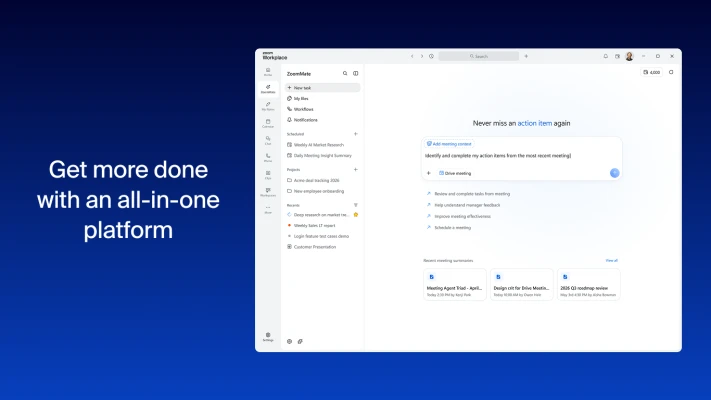
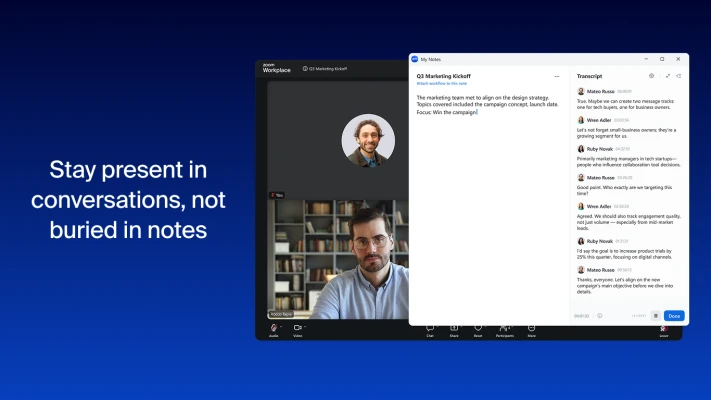
- Built-in AI: meeting summaries, notes and action items on eligible plans
How to Install Zoom on Windows
1. Tap the download button on this page to open Zoom's official Download Center.
2. Under Zoom Workplace for Windows, click Download (64-bit) and save the installer.
3. Double-click the downloaded ZoomInstaller.exe file and let it install.
4. Open Zoom, sign in with a free account or join a meeting with just a meeting ID.