Schedule WhatsApp Messages: WhatsApp Now Lets You Send Messages Up to 14 Days Later
8 min read WhatsApp now lets you schedule WhatsApp messages up to 14 days ahead on Android and iPhone. Learn how the new scheduled messages feature works, step by step. November 28, 2026 20:54
Learning how to schedule a WhatsApp message is now much simpler, because WhatsApp has finally added a built-in way to do it. On 25 November 2026, WhatsApp announced scheduled messages, a feature it described as one of the most requested additions to the app. Instead of relying on reminders or third-party tools, you can now write a message today and have WhatsApp deliver it at the exact time you choose.
The new option works in both one-to-one chats and group chats, and it supports text, photos and videos. You can set a message to go out anywhere from 10 minutes to 14 days in the future. Best of all, the message is sent from WhatsApp's servers, so it still arrives even if your phone is switched off or has no signal at the scheduled time.
What Are WhatsApp Scheduled Messages?
WhatsApp scheduled messages let you prepare a message in advance and pick the date and time it should be delivered. The message stays queued until that moment, then WhatsApp sends it automatically. The person receiving it sees a normal message, with no label or hint that it was scheduled in advance.
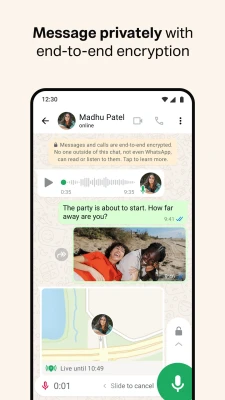
Everything about the message stays protected by WhatsApp's end-to-end encryption, just like a message you send straight away. The feature is rolling out gradually around the world, so if you do not see it yet, updating the app to the latest version is the first step. You can download the latest version from our WhatsApp Messenger listing on AppSoftonic.
How to Schedule a WhatsApp Message on Android and iPhone
The steps are the same on Android and iPhone, which makes the feature easy to use on either platform:
1. Open the chat or group where you want to send the message.
2. Type your message, or attach the photo or video you want to share.
3. Press and hold the Send button (the paper plane icon). Do not just tap it, or the message will go out immediately.
4. Choose the date and time you want the message to arrive.
5. Tap the Send button, which now shows your chosen time.
That is all there is to it. The message will be delivered at the time you picked, even if your phone is off or offline when the moment arrives.
How to View or Cancel a Scheduled Message
If you change your mind, you can check everything you have queued and remove any message before it is sent. Tap your profile picture, then open Scheduled messages to see the full list of messages waiting to go out. To cancel one, press and hold it and tap Delete. Once deleted, the message is gone and will not be delivered.
This is useful for more than just birthday wishes. You can line up a reminder for a family group, prepare a work message on Sunday evening to arrive on Monday morning, or make sure an important announcement reaches a group at the right hour without having to be awake to send it.
What You Should Know Before Using It
There are a few limits worth keeping in mind. The earliest you can schedule a message is 10 minutes from now, and the latest is two weeks ahead, so it is designed for short-term planning rather than messages months in advance. Because the rollout is gradual, the option may appear on one of your devices before the other, and it may take a few weeks to reach everyone. If the long-press option does not appear, check for an app update first.
The arrival of scheduled messages also closes a long-standing gap with rival apps. Telegram, for example, has offered message scheduling for years, and you can read about it on our Telegram listing on AppSoftonic. WhatsApp users had previously needed workarounds such as phone reminders, automation apps or third-party schedulers to send a message later, and none of those were as simple or reliable as a feature built into the app itself.
Part of a Bigger November for WhatsApp
Scheduled messages are not the only change WhatsApp has shipped this month. November has also brought larger group chats of up to 1,500 members, a new first-party cloud backup option as an alternative to Google Drive and iCloud, view-once text messages, and shared chat themes. Taken together, the updates show WhatsApp steadily adding the practical tools its users have been asking for, rather than chasing flashy changes.
For anyone who uses WhatsApp to keep in touch with family, coordinate with colleagues or run a small business, the new scheduler removes a small daily annoyance. A message written at midnight no longer has to wait until morning, and a reminder set today will not be forgotten tomorrow. It is a quiet, practical upgrade, and that is exactly why so many people asked for it.
Conclusion
WhatsApp scheduled messages are a simple but genuinely useful addition. If you can schedule a WhatsApp message up to 14 days ahead, straight from the chat window, there is little reason to keep using reminders or extra apps for the job. Update WhatsApp to the latest version, try the long-press on the Send button, and you will find the feature ready in your chats as the rollout reaches you.